This server is run by me, Ky, out of a server in my residence. Backups are performed daily at 5am Pacific Time (UTC-7 or -8) and every effort is made to minimize downtime, however it should be expected that the server may be unavailable at times due to unforeseen events. If you wish to throw some money my way to help me maintain and improve the experience of the server then visit my Ko-Fi or DM me (@ky-bean:critter.garden) for other options, it is greatly appreciated!
§ TL;DR Info
The information provided here is just the basics everyone needs to know to get started using Matrix. For more details visit the Detailed Info section.
Matrix is an open source platform and specification. Importantly, this means that there are several different programs you could install to connect to the server with. For simplicity I am going to use Element for all instructions and support, it can be downloaded for desktop & mobile, and a web-hosted version is also available, which is also running off of my server.
§ Create an Account
The Critter Garden uses semi-open registration, meaning anyone is welcome to join & create an account however you must be given a Registration Token by a current member of the server which is used during the account creation process. This system is put in place to increase the barrier of bots and bad-actors from entering the server and causing problems. If you are inviting someone to the server the current valid Registration Token is pinned in the Announcements room.
§ Set your credentials
- Open Element, you will be greeted with this welcome page:
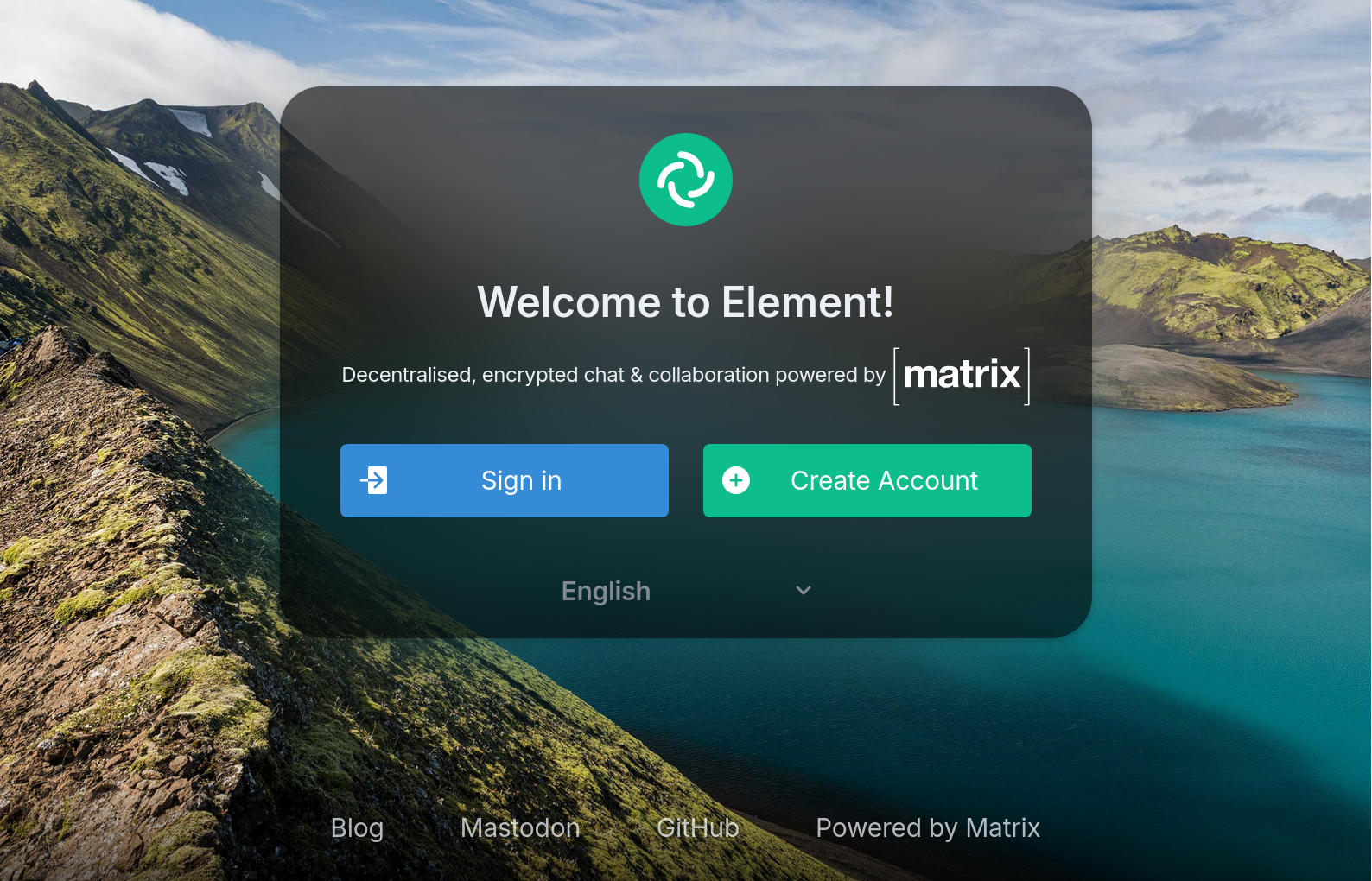
- Click the “Create Account” button. If you’re using the instance of Element hosted on
critter.garden it should look like this:
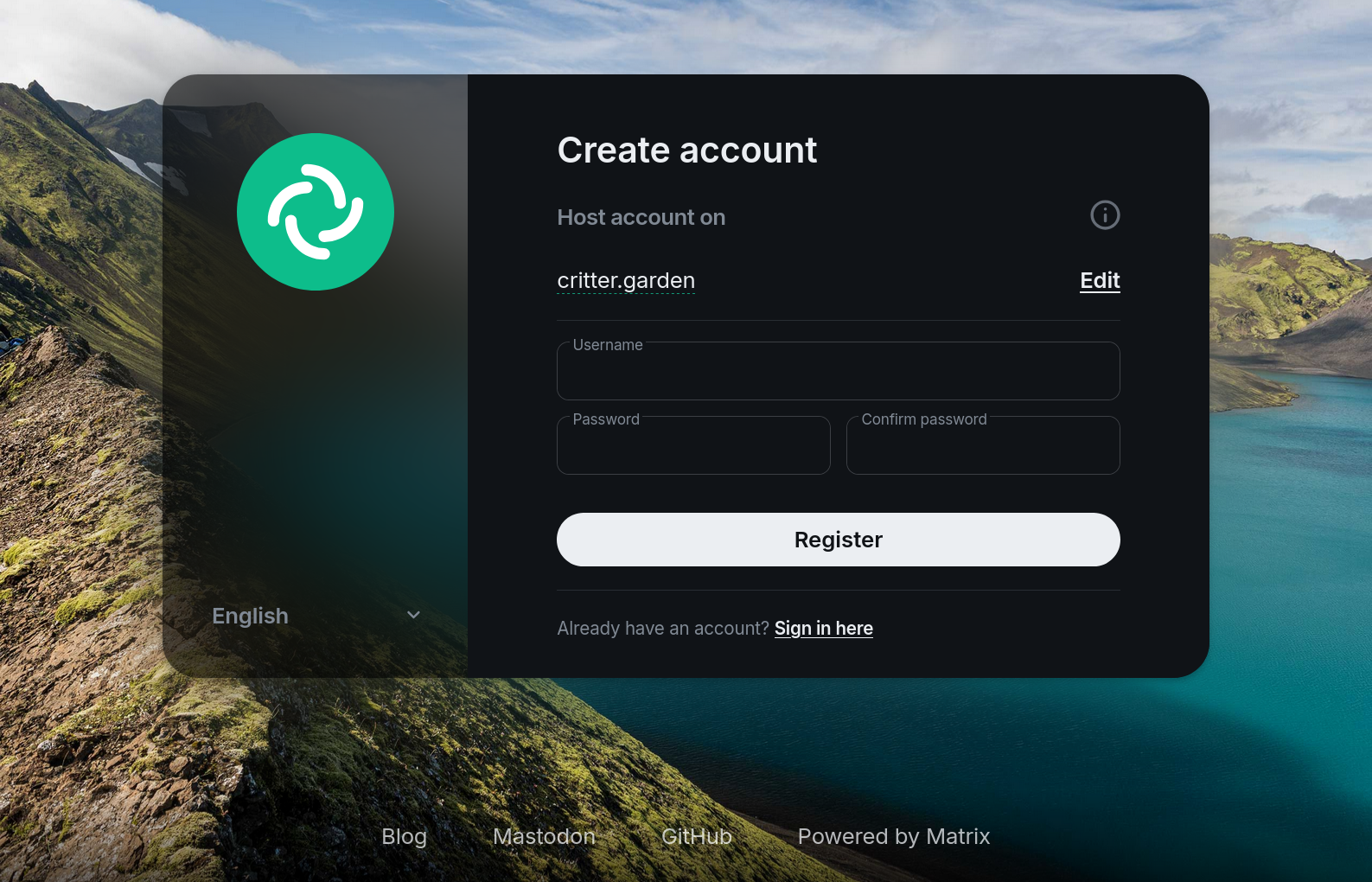
Check the URL under the text Host account on. If it does NOT say critter.garden click the Edit button on the right side. In the pop-up enter https://critter.garden into the Other homeserver field, then click Continue.
After choosing a username and password, click Register. Be sure to save the username and password details in you password manager. You are using a password manager, right?
The following page will then ask for the Registration Token:
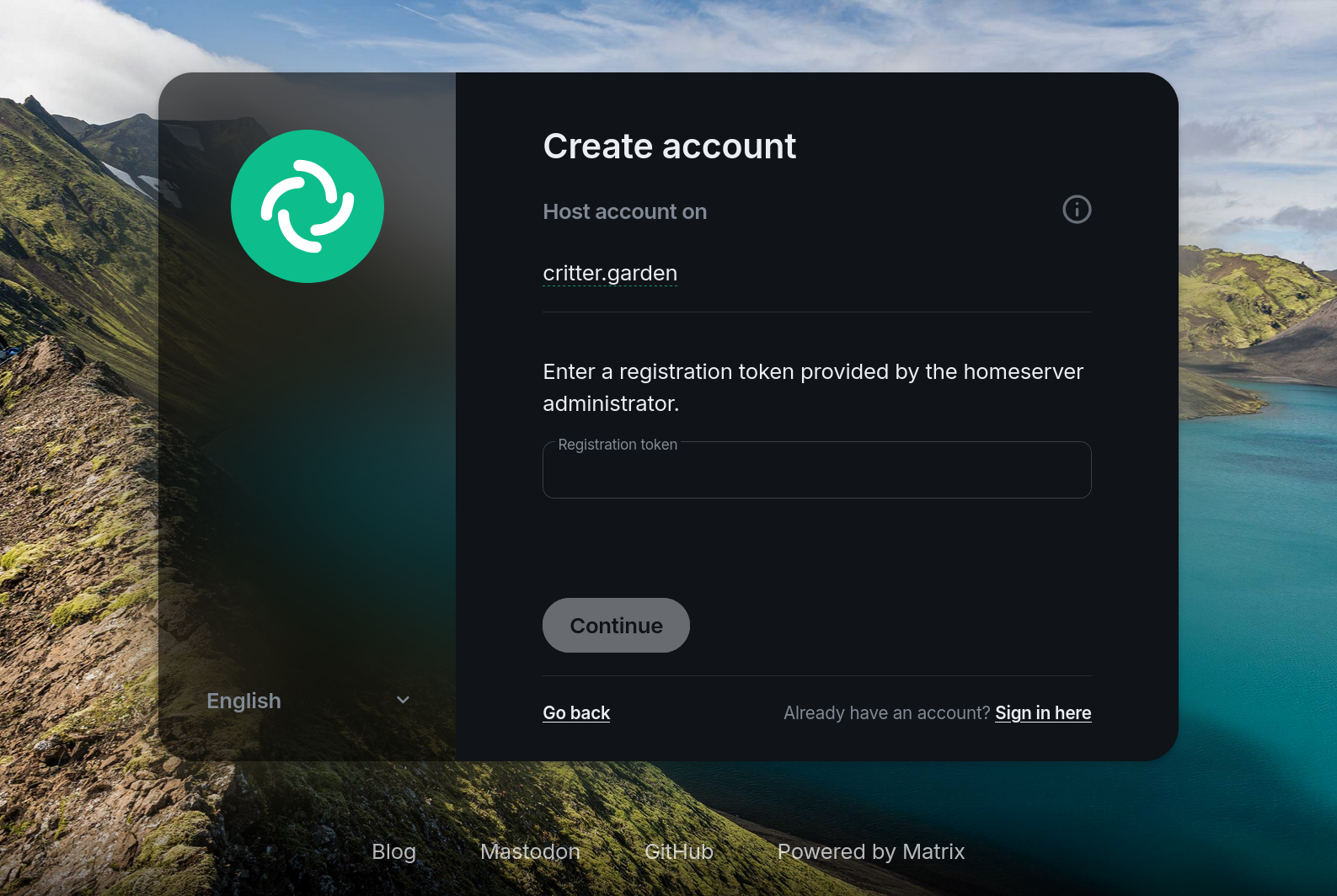
Enter the Registration Token received from the person who invited you and click Continue.
Once the system has finished creating your account you will be greeted by this welcome page:
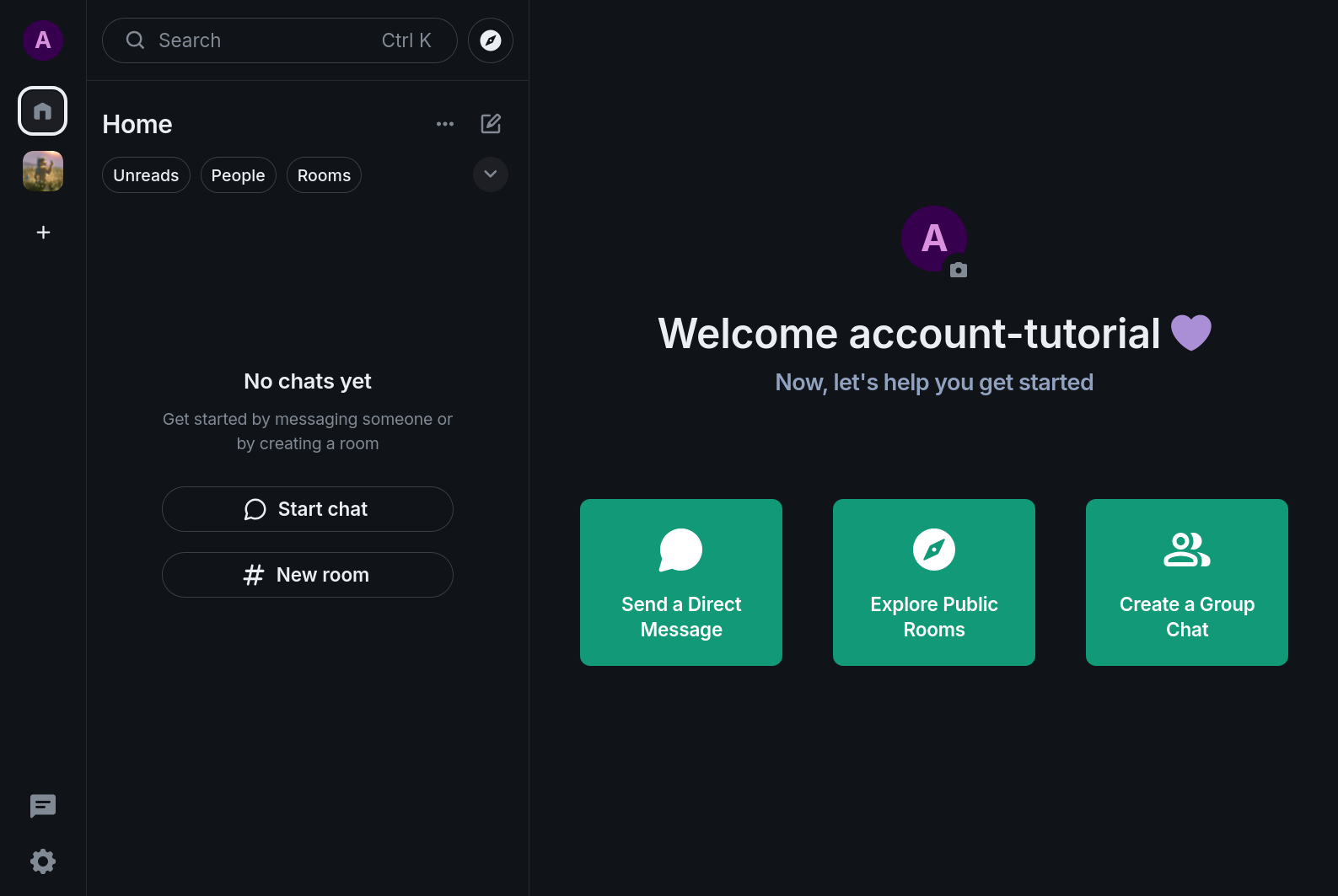
To ensure all users on the Critter Garden’s server are informed of any activity or issues that could impact their usage of the Matrix service a Space and an #announcements Room are provided for all server members to join. The Space and Room should be joined automatically by new accounts, where it’ll show up on the left side panel under the Home button as shown in the above screenshot. If it is not present, click into the search bar in the top left of the window (or press Ctrl+K) and search the term #home:critter.garden. After pressing enter on the search term you should see the Space listed under a Suggestions section, click Join to the right of the listing:
If you find that when trying to view the Space or Room you encounter an error stating that the room is using an outdated Room version or similar message, first ensure you have saved your Recovery Key as detailed in the following section, then try logging out and back in.
YOU WILL NOT BE ABLE TO ACCESS YOUR ACCOUNT’S DATA (E.G. MESSAGE HISTORY) IF YOU HAVE NOT SAVED YOUR RECOVERY KEY.
§ Recovery Key setup
- To ensure you can access your account data on multiple devices/clients you MUST save your Recovery Key. Click on the Settings icon in the lower left corner of the window, select All Settings if a context menu pops up instead of the full settings menu, then navigate to the Encryption sub-page of the settings menu. On this page you will see a section labeled Recovery:
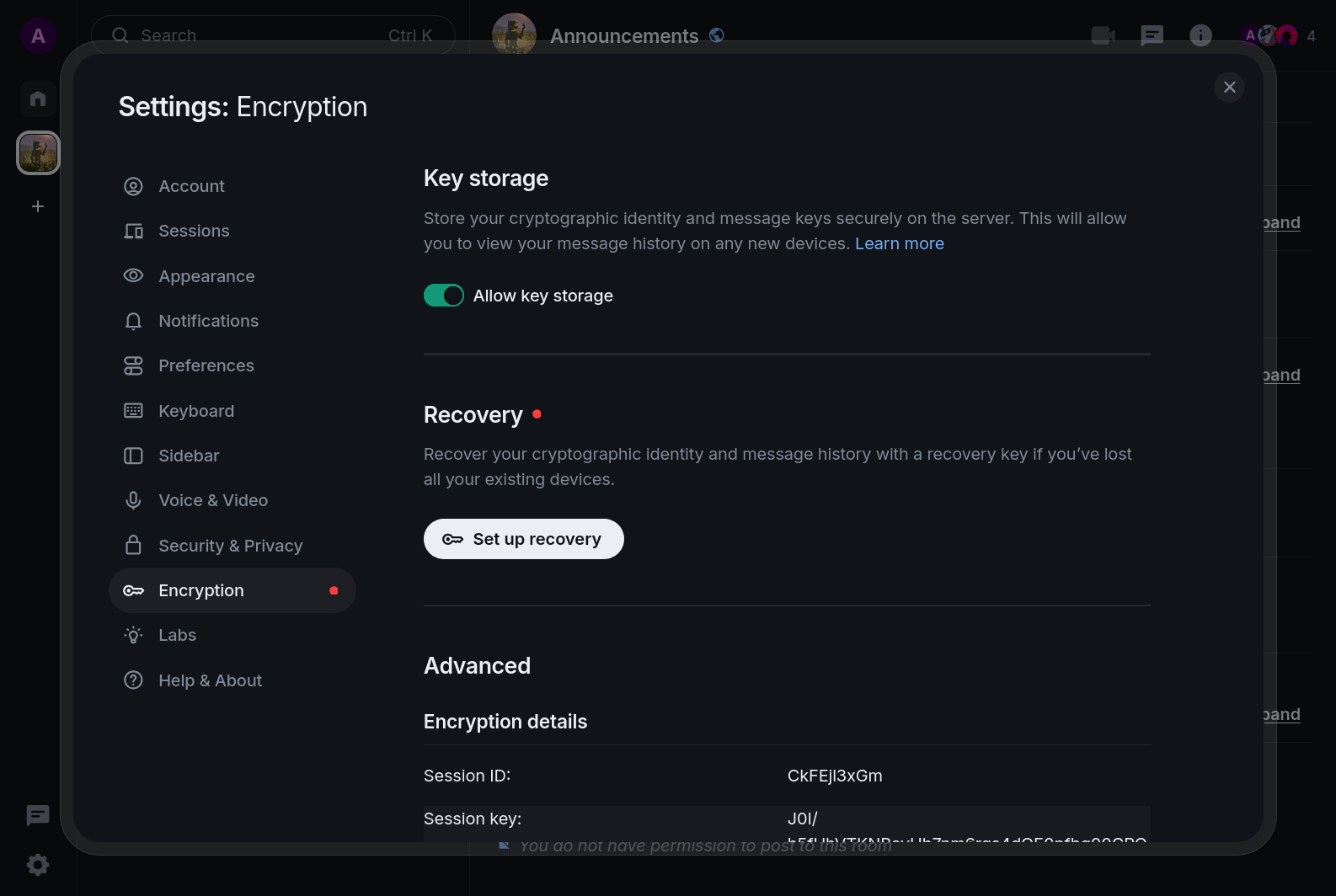
- Click the Set up recovery button. You will then begin the Recovery Key setup process:
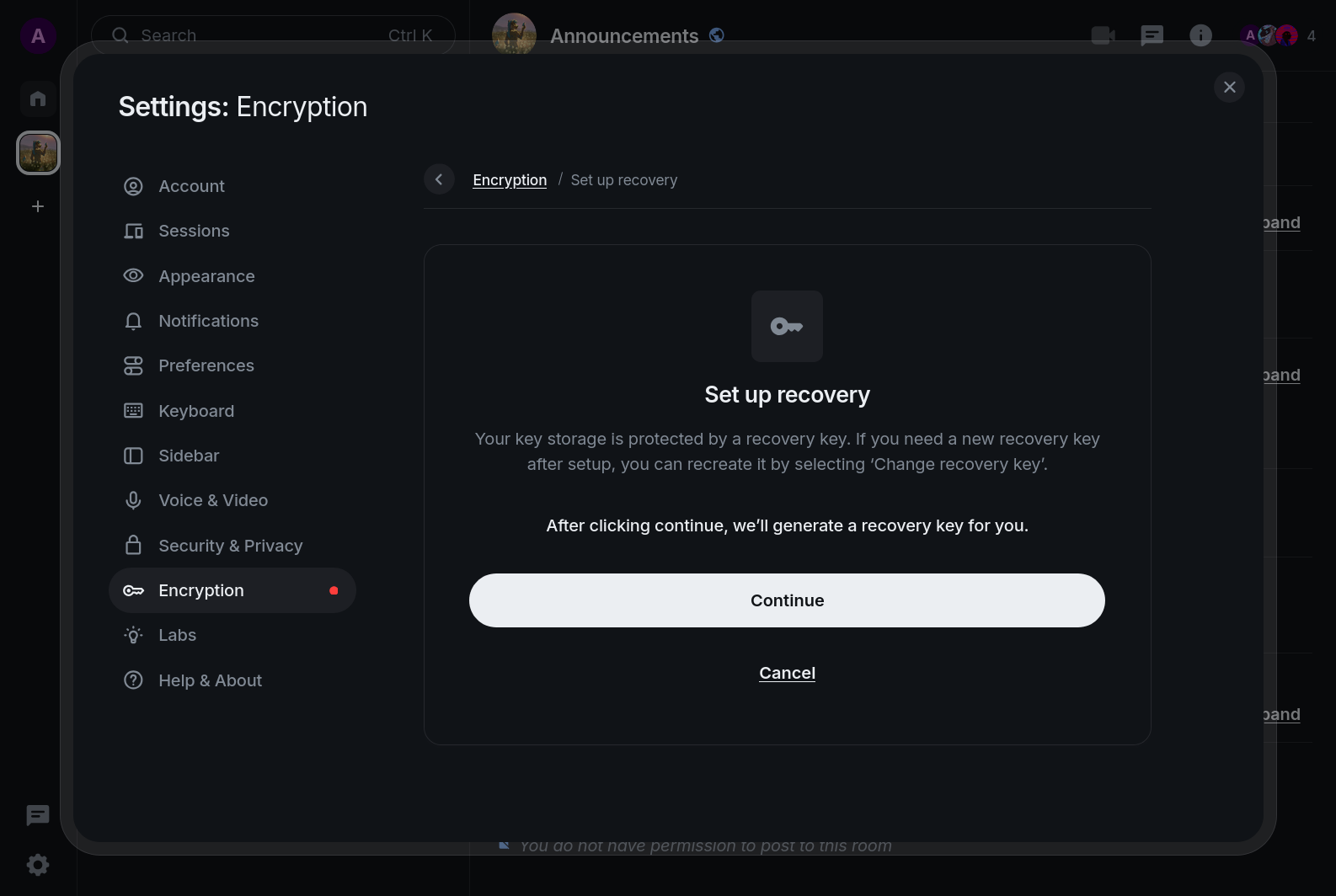
- Click Continue, then copy the displayed Recovery Key and save it in a secure place, ideally in the same entry in your password manager where you saved your Matrix username & password.
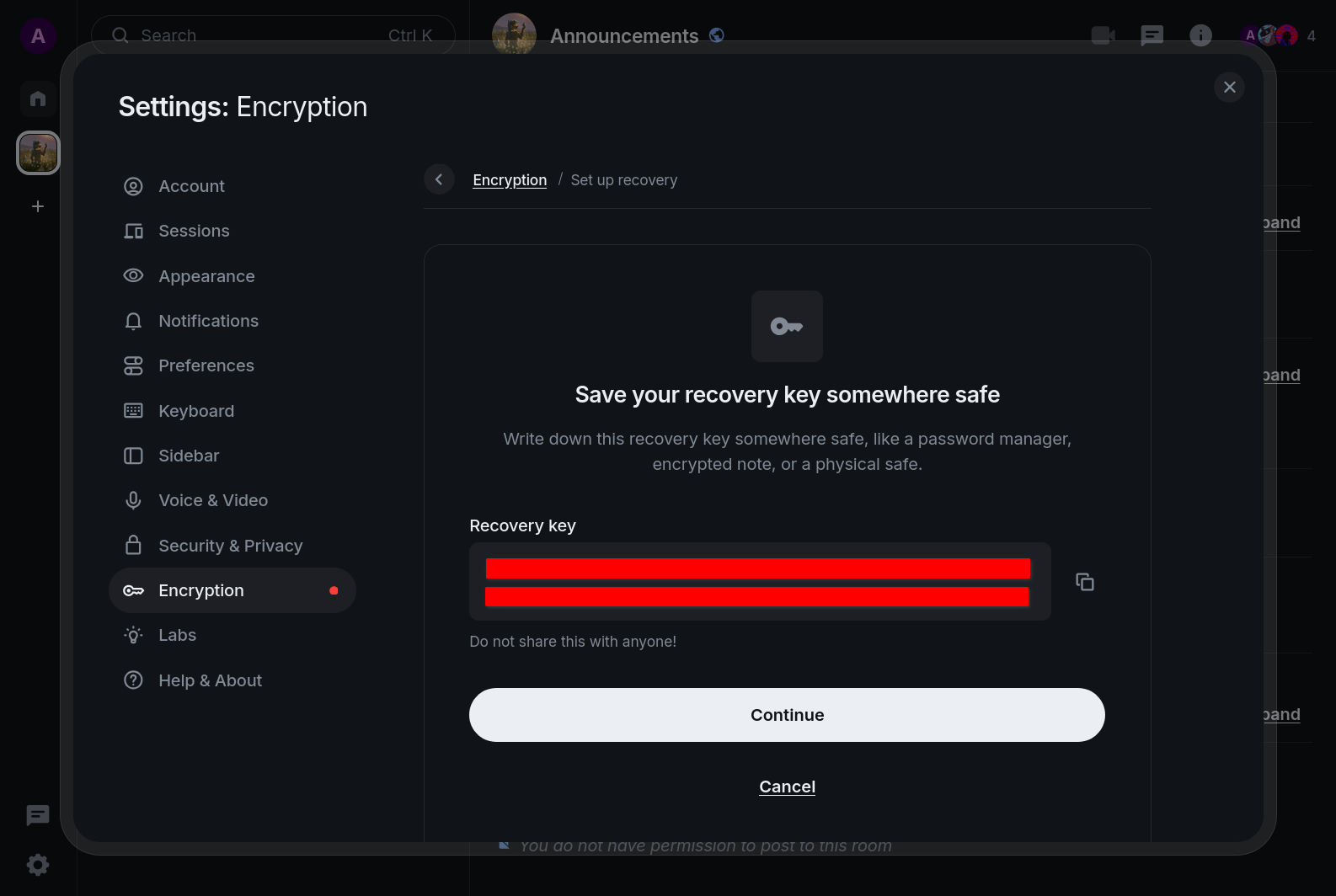
Click Continue.
On the following page you will be asked to enter that same recovery key into the input box.
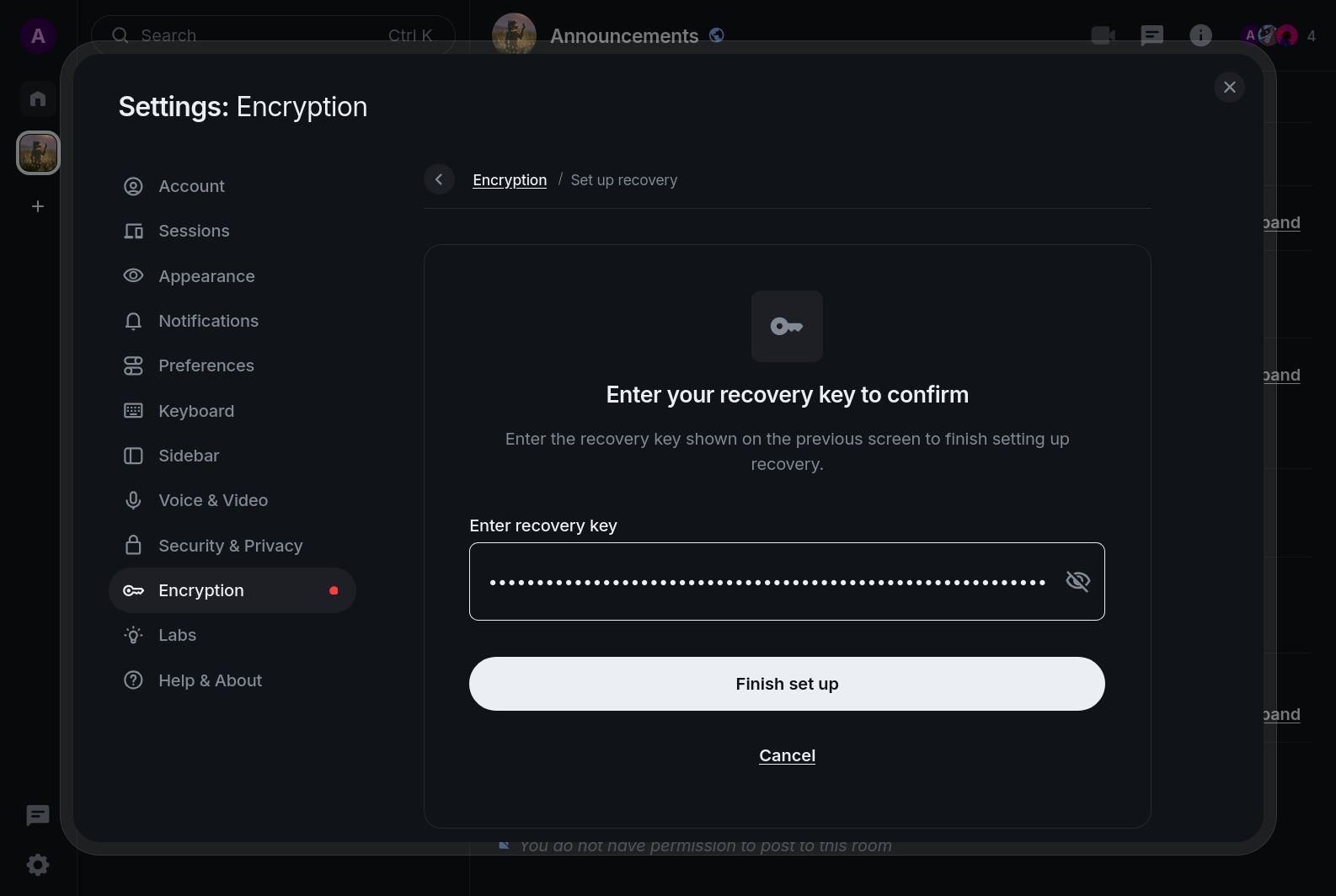
- Enter your Recovery Key and click Finish set up. You will be returned to the Encryption settings page from before; the Recovery Key setup is complete.
§ Basic Usage Tips
WIP
§ Inviting Users to Spaces/Rooms
WIP
§ Matrix vs Discord
WIP
§ Detailed Info
WIP
§ Clients
For the adventurous types and those wishing to utilize the stickers capability of Matrix I recommend experimenting with Cinny, which is additionally available as a web app hosted on my server.
WIP